
FAQs
Color & Print Process
We do offer discounts for 1,2 & 3 color printing; however, all of our signs are digitally printed using UV Inkjet technology.
In the last several years, digital printing has become the dominant method for producing yard signs. Our clients appreciate the wide range of design options, quick turnaround time, high quality, and lower environmental impact that digital printing offers versus screen printing.
Through extensive testing, market analysis, and investments in our production processes, we have determined that offering discounts on fewer colors allows FireSprint, and our clients to compete effectively in the marketplace. We are able to do this while enjoying the production and environmental benefits of full digital production.
Since our production method has changed, exact color matches are not possible; however, we can typically achieve satisfactory results. If you are placing a reorder, please feel free to reach out to our team, with your previous order number, and we will send you a digital sample, free of charge.
Color Process
Unfortunately, no. While acceptable matches can usually be achieved, exact color matches cannot be guaranteed. Every printer and process has limitations to their color gamut. Satin digital CMYK generally has the smallest color gamut of all print methods.
We recommend using Pantone Solid Coated Colors when trying to match a digitally printed graphic; these colors end in "C" (e.g., 249C or 4675C)
No.
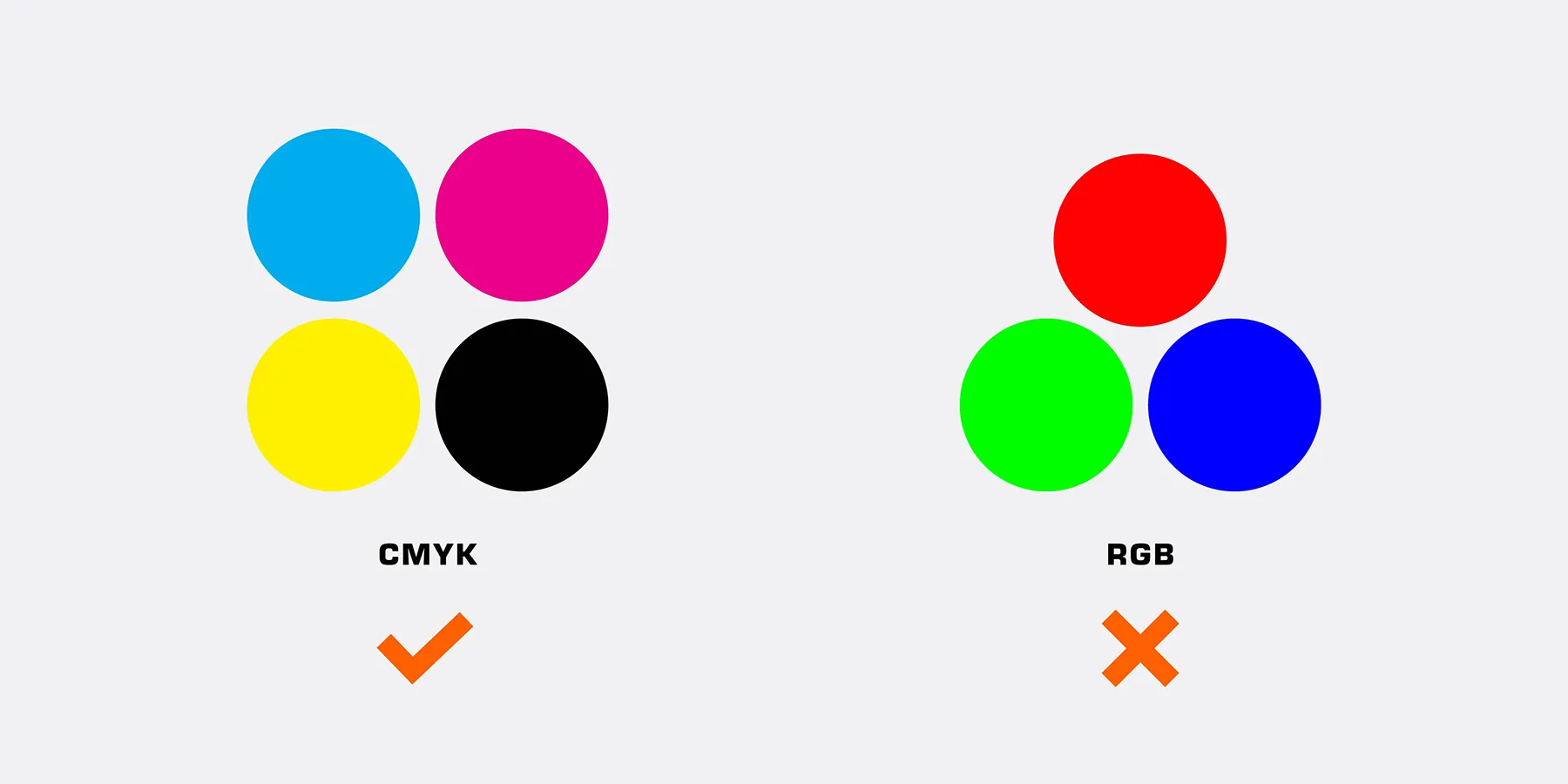
Files submitted to us in RGB will have to be converted to CMYK in order to print. RGB is an additive process that uses Red, Green, and Blue light to achieve a color. It is considered additive because one must add all three colors together to achieve white. It is used for Monitors, TV's, Phone Screens, etc. Unfortunately, it is not physically possible to print in RGB because mixing Red, Green, and Blue ink (pigment) would actually create a kind of brown color, not white as it does with the light in your computer monitor.
CMYK, on the other hand, is considered a subtractive process because, in order to get white, one must remove all color to allow the white to show through from the substrate material underneath it all.
It's also important to consider that RGB has many more color possibilities than CMYK. Never will colors on your monitor or screen match printed CMYK colors exactly.
Raster & Vector Files
Vector art is made from a series of mathematical curves, points, and paths. Because vector art is not comprised of a certain number of dots (like raster images), it can be resized larger or smaller without loss of image quality due to it's mathematical base: the curves, paths, and points are simply recalculated to express the new size.
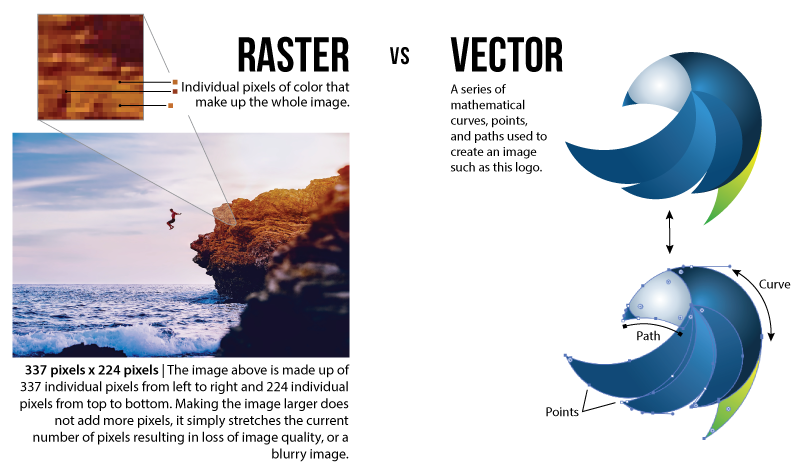
Vector art is a series of mathematical curves, points and paths used to create an image. The shapes and lines are scalable so it can be made as large as you want without losing quality.
A raster image has individual pixels of color that make up the whole image. If the image is sized to 600x800, it would be made up of 600 pixels (or small dots) across and 800 pixels from top to bottom.
Trying to make this photo larger will only stretch those pixels, not add more, thereby losing the crispness of the original image.
Acceptable Files
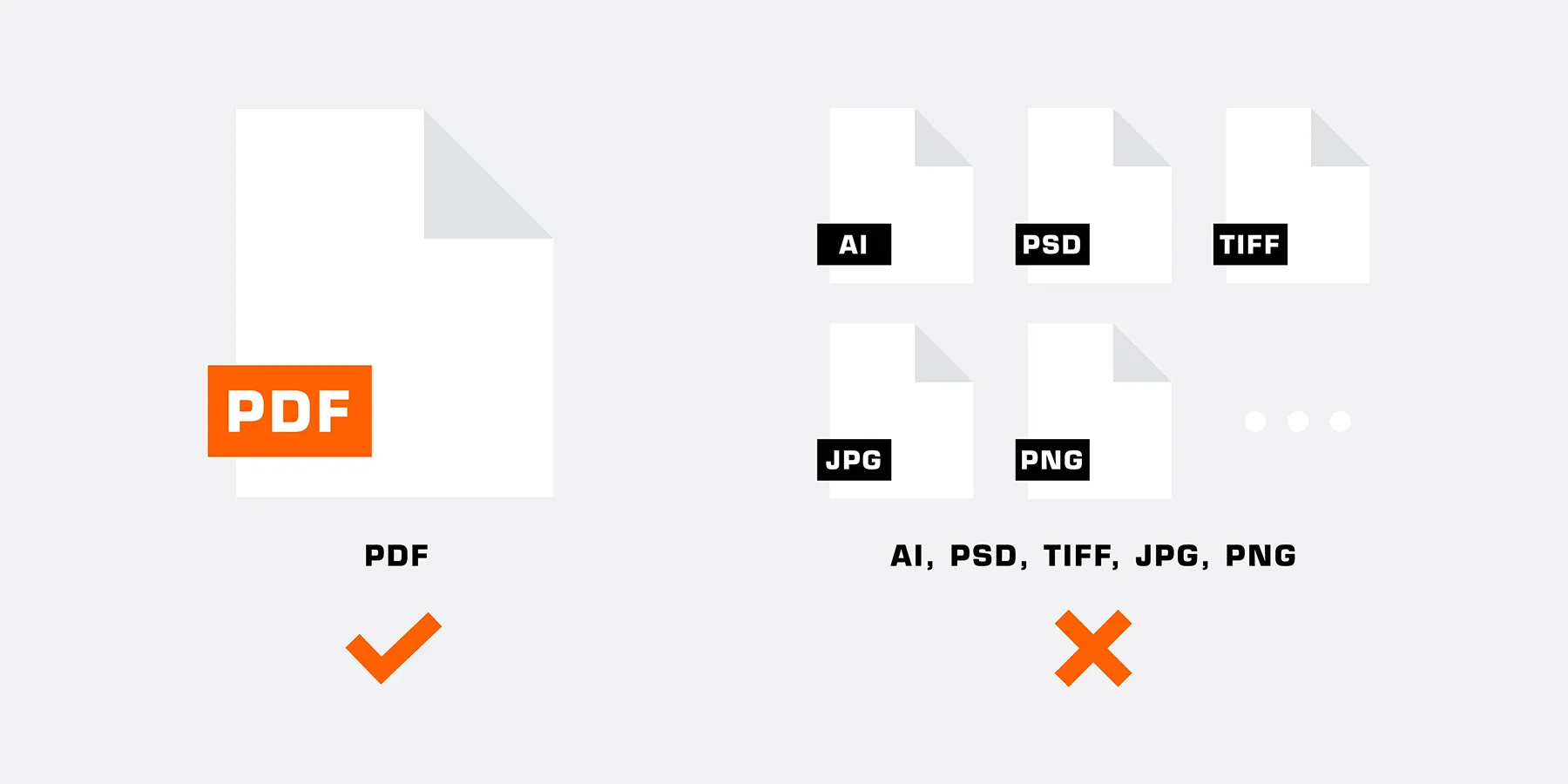
While we prefer vector artwork for digitally printed (full color) items as card card-body, as long as your raster image is high quality, large enough to print (i.e., the same size as your finished product), and saved as a PDF in a vector art program such as Adobe Illustrator, we will accept it.
We do not accept Photoshop files for print as Photoshop is a raster image editing program. If you do not have vector art, we will accept a very high quality .jpeg or .png, but it must still be embedded into a vector art program and saved as a PDF.
Artwork Limits
As a Trade-Only printer, we require print ready artwork. While certain products may have more specific requirements, all artwork must meet these basic requirements:
- PDF format
- Bleed will be auto-generated, do not include in file Actual size (we do not adjust size)
- All fonts converted to outlines
- All images embedded Less than 150MB in size
When working in Illustrator, to reduce file size you can try cropping excess images that exceed the clipping mask (Object>Image Crop), removing excess vector points by simplifying the path (Object>Path>Simplify), deleting redundant or extra artwork outside of the artwork that is being printed, and flattening your artwork if you have multiple RASTER image layers.
Check out our blog post about reducing your file size and download our printable PDF guide here.
Since we are a Trade Only Printer, we do not handle artwork design services or alterations.
How To Prepare Your File
PDFs must be submitted in the CMYK color space.
FireSprint cannot maintain accurate color with both CMYK and RGB color spaces included in a file.
Makes sure all of your fonts are converted into outlines.
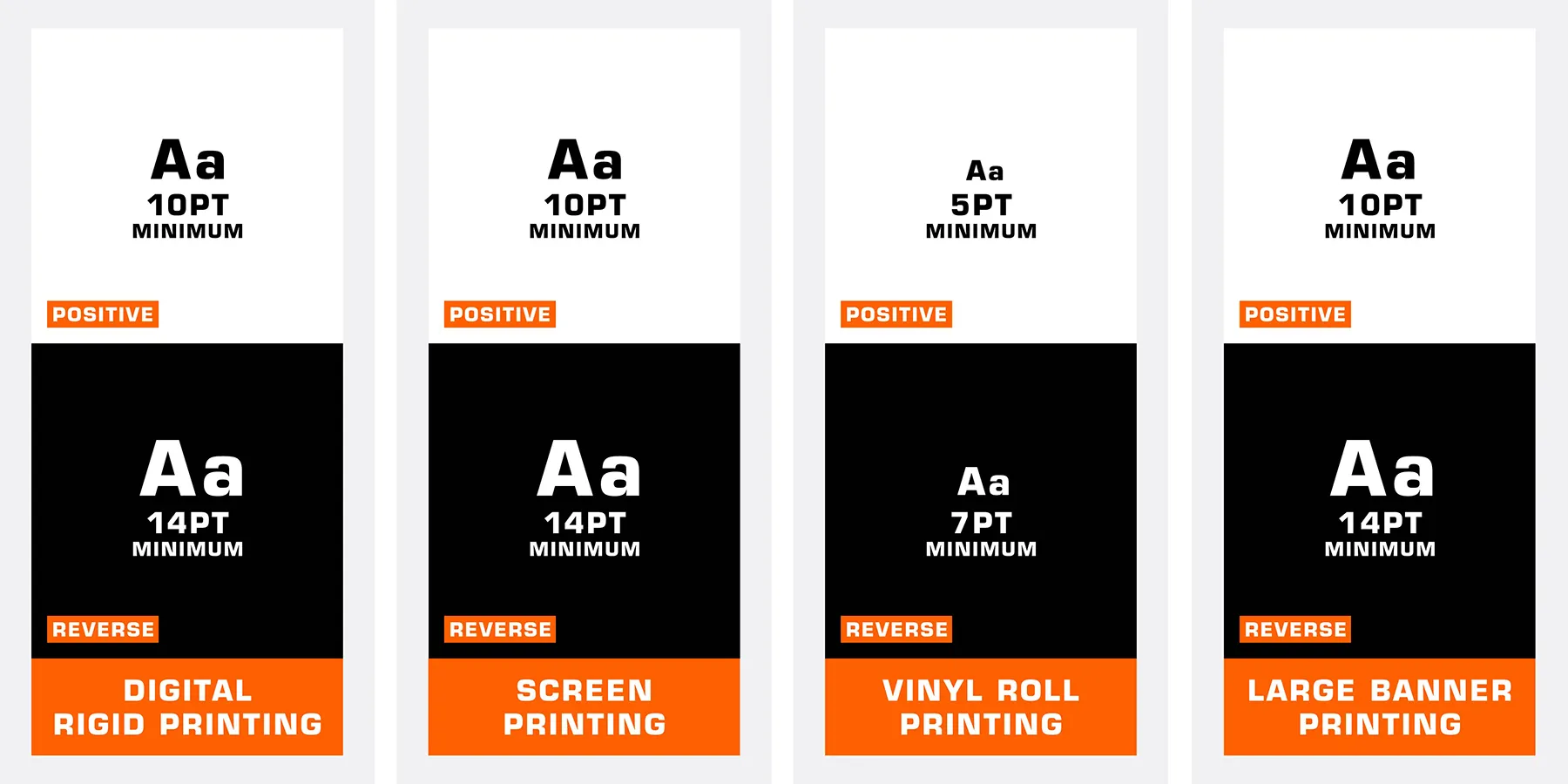
- Digital Rigid Printing Minimum type size of 10pt for positive type and 14pt for reverse type
- Vinyl Roll & Sticker Printing Minimum type size of 5pt for positive type and 7pt for reverse type
- Large Format Banners Minimum type size of 10pt for positive type and 14pt for reverse type
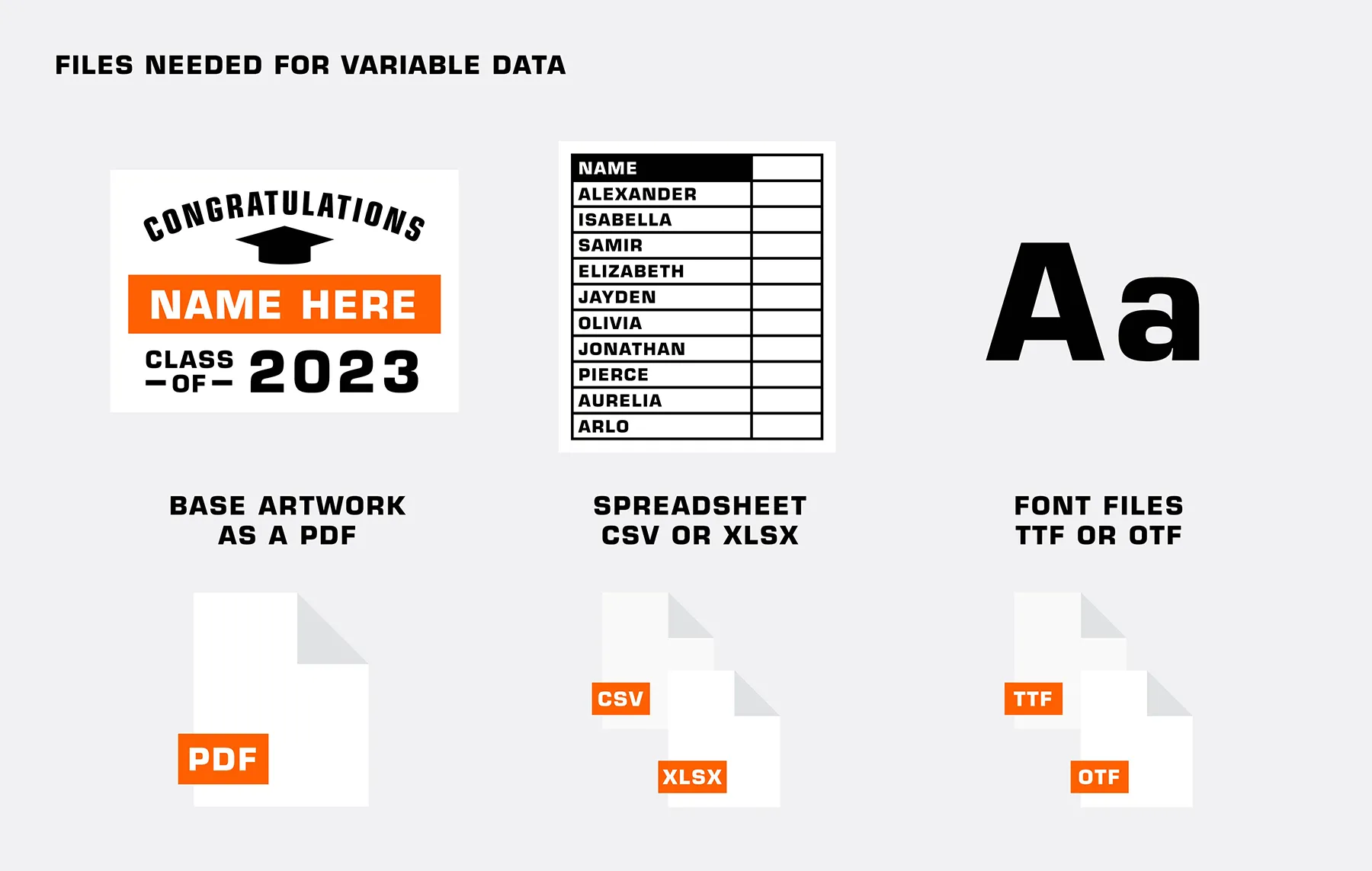
- Variable Data The font file must be provided

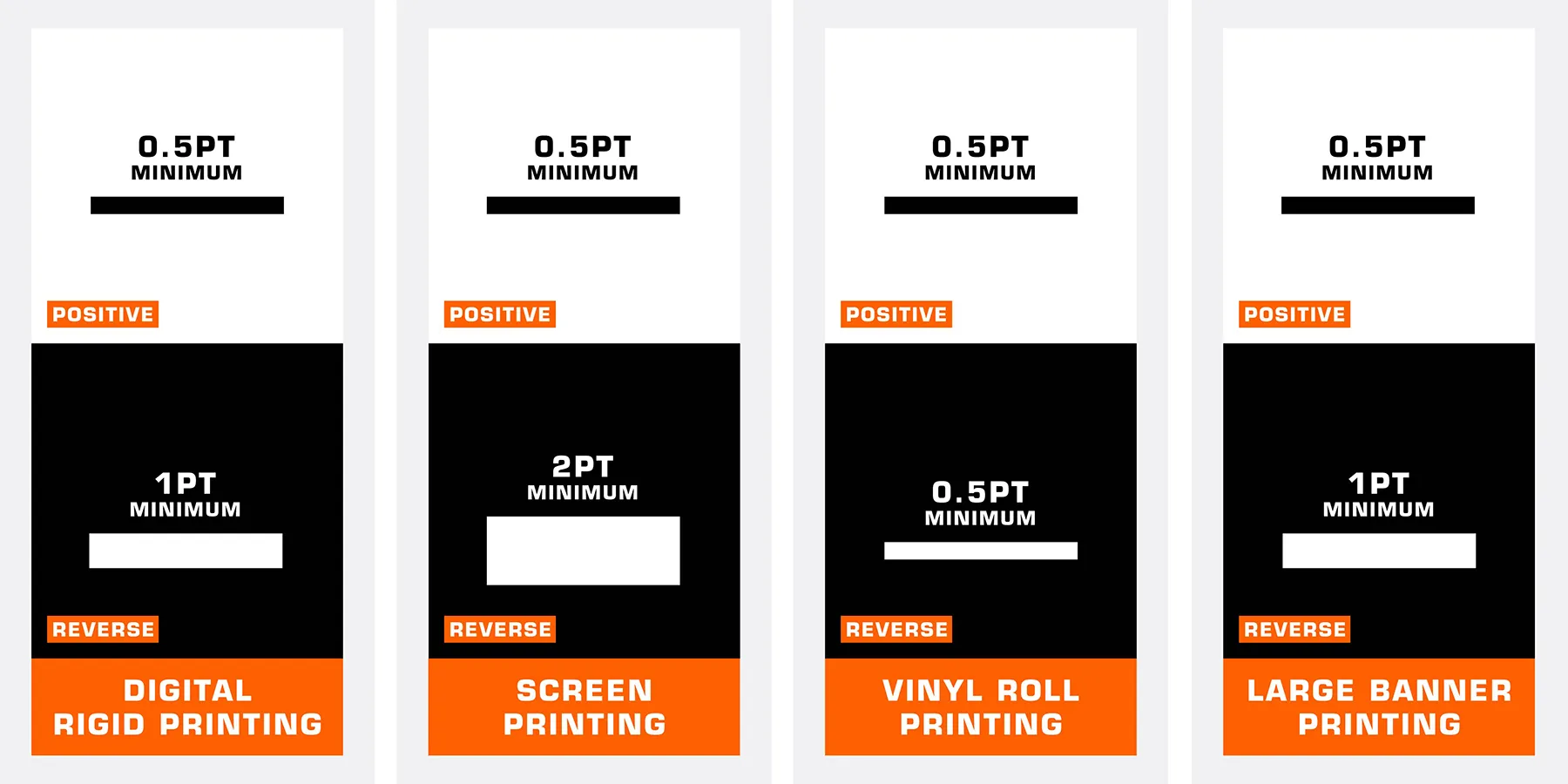
- Digital Rigid Printing Minimum of 0.5pt for positive line widths and 1pt for reverse line widths
- Vinyl Roll & Sticker Printing Minimum of 0.5pt for positive line widths and 0.5pt for reverse line widths
- Large Format Banners Minimum of 0.5pt for positive line widths and 1pt for reverse line widths
- Auto-Generated Bleed Bleed will be auto-generated for artwork that touches the edge of the sheet for all products. Do not include in file.
- If File Already Has Bleed If uploading a file with bleed, you’ll need to crop or skew the image in the uploader and will be prompted to do so. If possible, we recommend re-uploading the file without bleed.
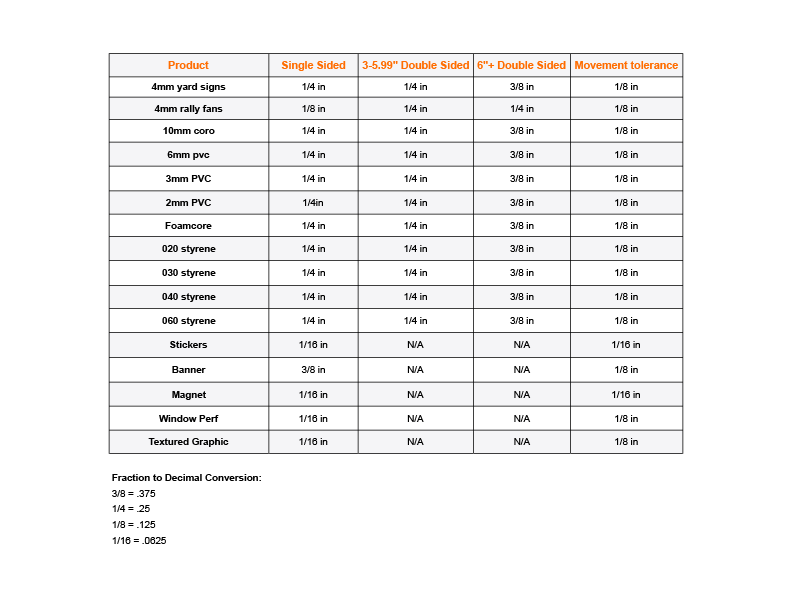
- For custom cuts on substrates thicker than 1/8” (.125), all inside cuts will require 3/8” or 0.375 radius.
- No custom cuts apply to 10mm Coroplast.
- FireSprint reserves the right to simplify overly complex custom cut paths to maximize the quality of the final product.
- Proofs are required to be sent for approval for altered cut paths at no additional cost.
- Borders at the edge of double-sided signs must be 3/8” or thicker not including bleed.
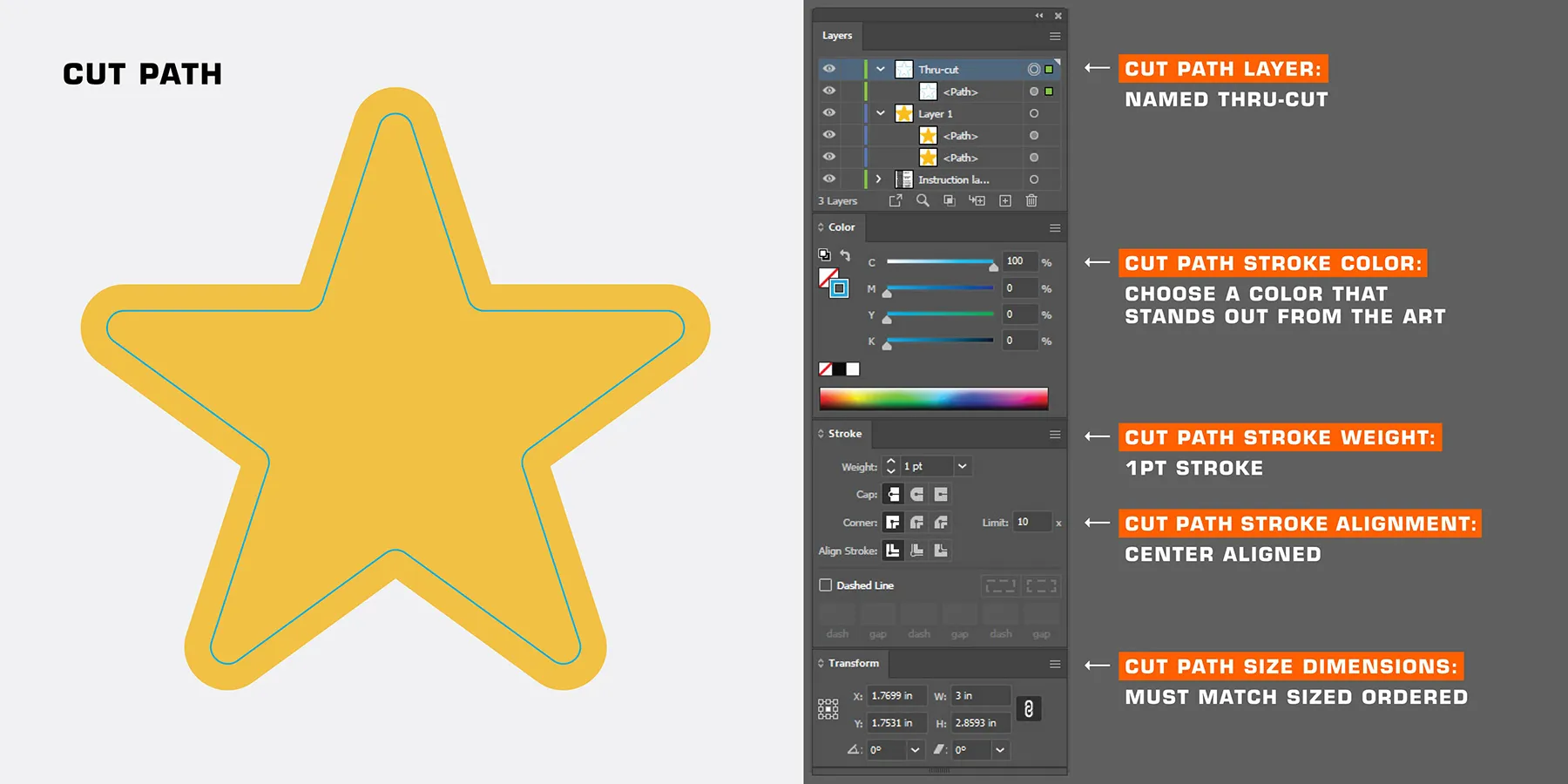
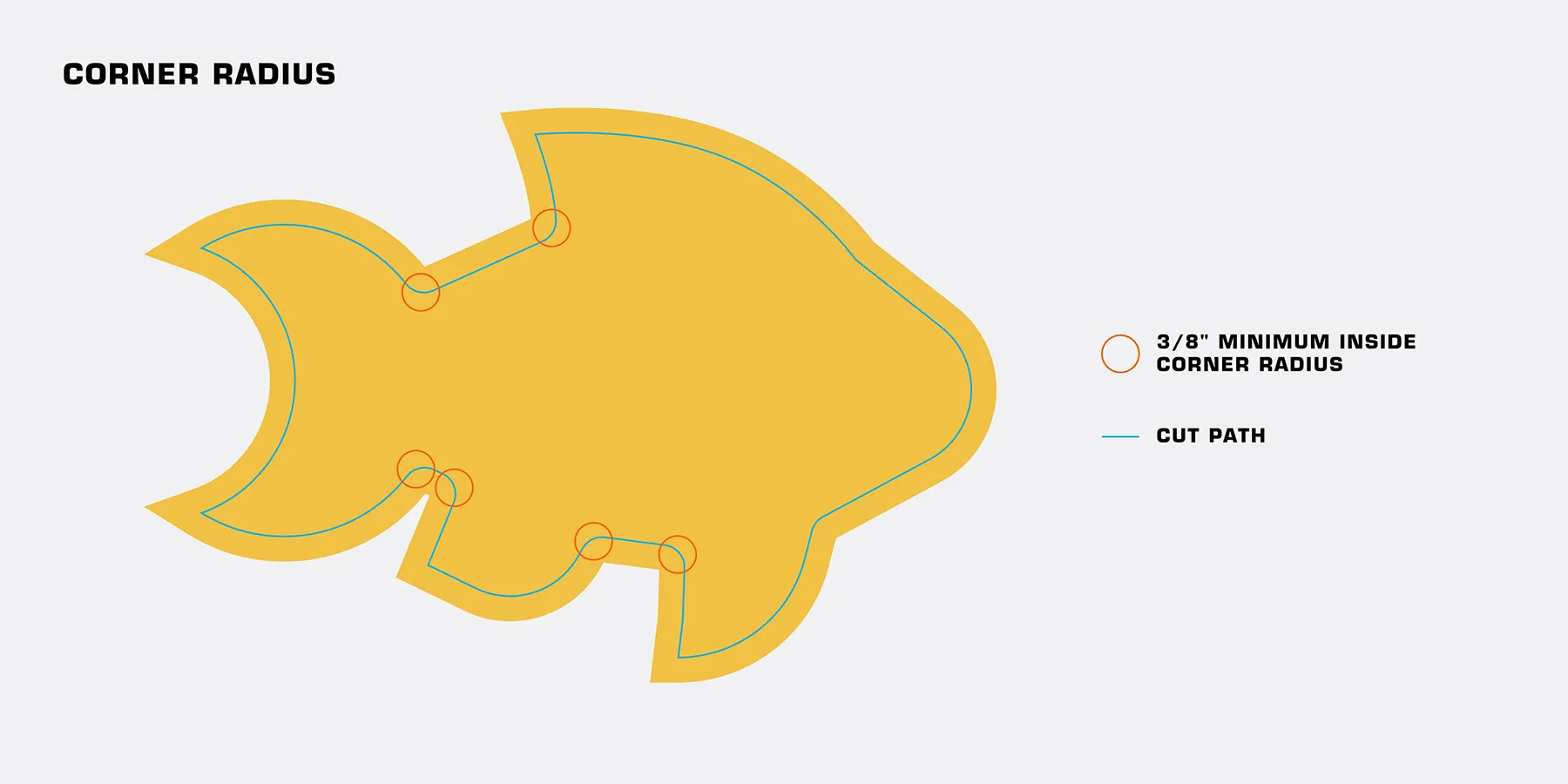
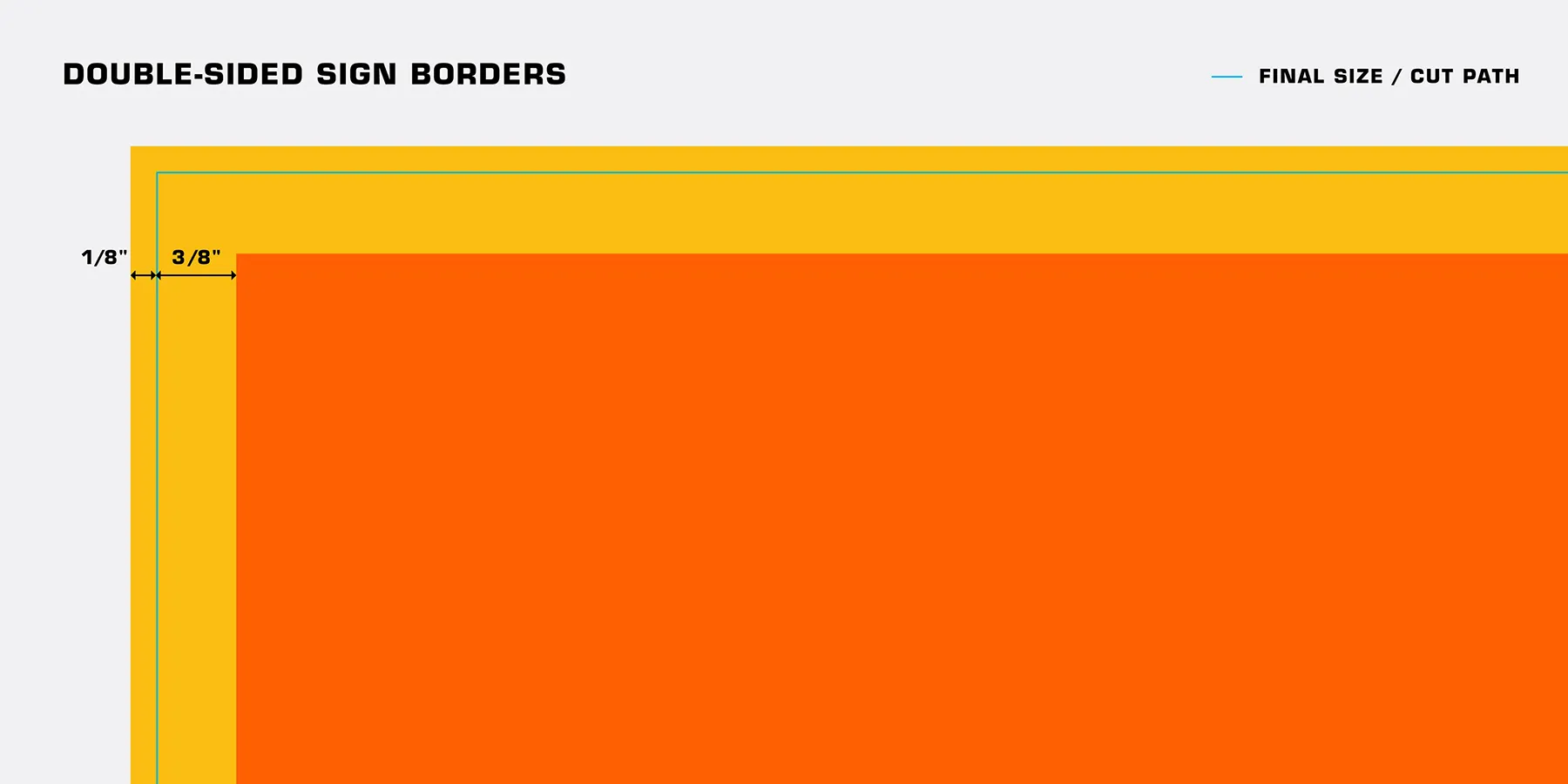
- Embedded at final size
- Minimum resolution of 100ppi at the final size

Reverse Arrows are directional arrows on a double sided sign. It's important that your customer be directed to the correct location no matter the side they're facing. For these designs, you will need to provide a front and a back version of your project with the reversed arrow in place.
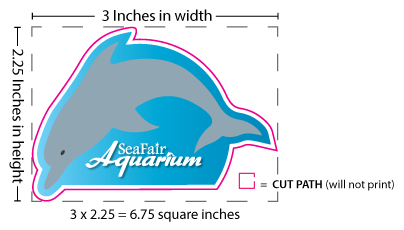
Pricing is based on size. If you draw an imaginary rectangle around your shape, that would be the width & height of your product. The entire decal (including the vector cut path) must fit within this rectangle.
Stickers & Decals
We have a max number of 100 pieces per kiss cut decal. If you need more than 100 kiss cut pieces on a decal, please separate your designs into multiple jobs. This is due to the processing time when cutting and handling your artwork.
No. Your decals will come kiss cut (a light cut along the border of your decal which allows the decal to be peeled off of the backing material) and adhered to a quick release backing paper. If you have multiple parts, they will be kiss cut and remain unweeded.
No, we do not offer installation services. Application and installation of our vinyl is the sole responsibility of the end-user of the product. If you need help with applying vinyl, the video below will walk you through the process.
If you have customers asking about how to install a vinyl decal, you can send them an unbranded version of the video above.
Clear Stickers
Overview
- White will only be printed under all colored pixels in the file, all white pixels in the file will be unprinted on the clear vinyl.
- The white layer is printed on the clear material first, followed by the CMYK layer on top of the white layer.
File Setup for CMYK with White Underlayment
- No file setup is necessary, our printer will print white under every colored pixel in the file.
Overview
- White will be printed under all colored pixels in the file, in addition to any white specified in the spot white layer.
- The clear vinyl will be unprinted anywhere not defined in the spot white or CMYK layers.
- The white layer is printed on the clear material first, followed by the CMYK layer on top of the white layer.
File Setup For CMYK with White Underlayment+ Spot White
- Your file must include layers.
- Clearly label your Spot White layer as “Spot White” and your CMYK layer as “CMYK”.
- Create a swatch named “Spot White”.
- Make sure the areas you want to print just white on the clear vinyl are colored with that swatch.
Saving Out Your File For CMYK + Spot White
- Save your file as a PDF. No other file types are accepted.
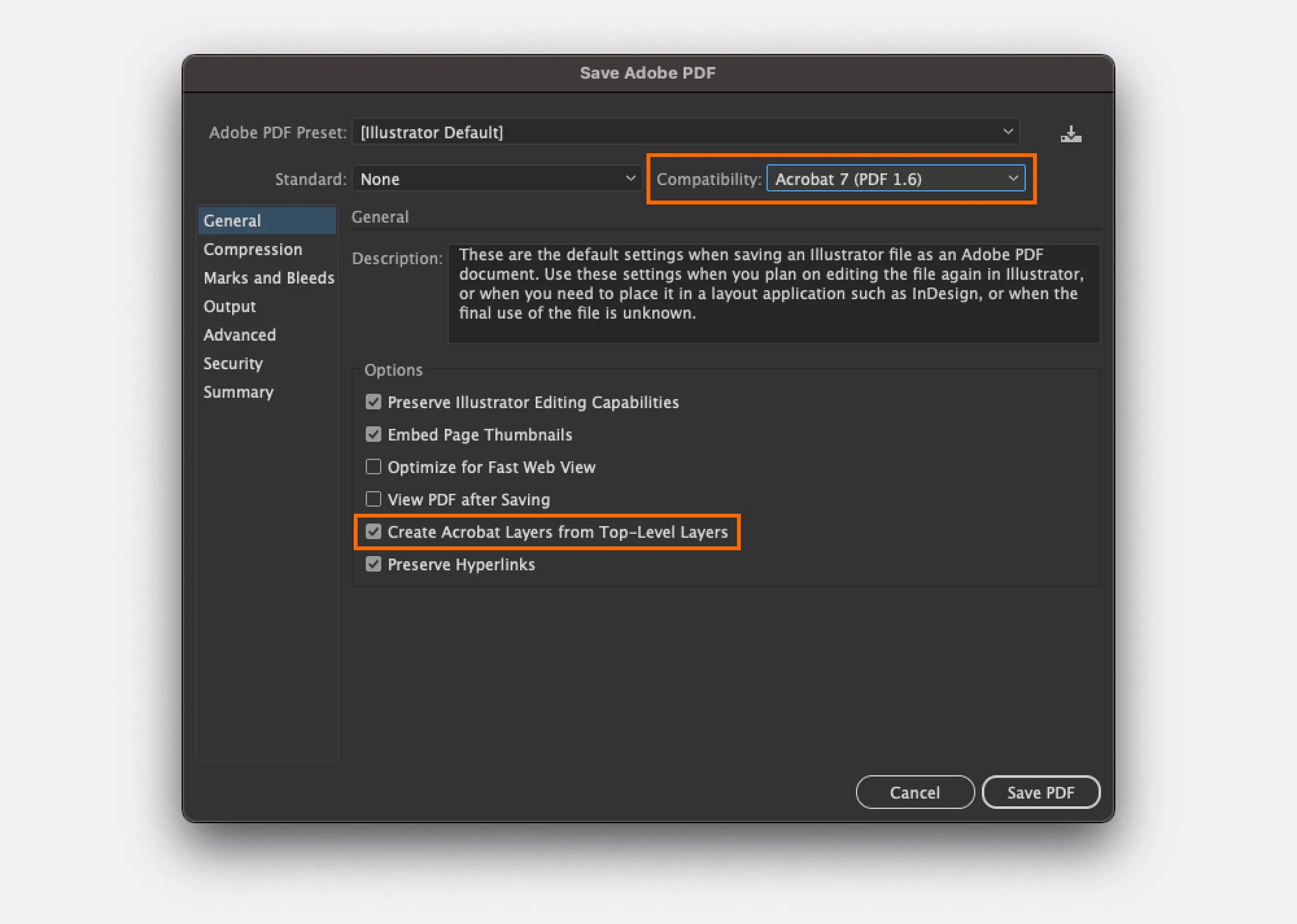
- Choose Adobe 7 (PDF 1.6) compatibility when saving your PDF to preserve your layers.
- Under Options, make sure “Create Acrobat Layers from Top-Level Layers” is checked.
Holographic Stickers
OVERVIEW
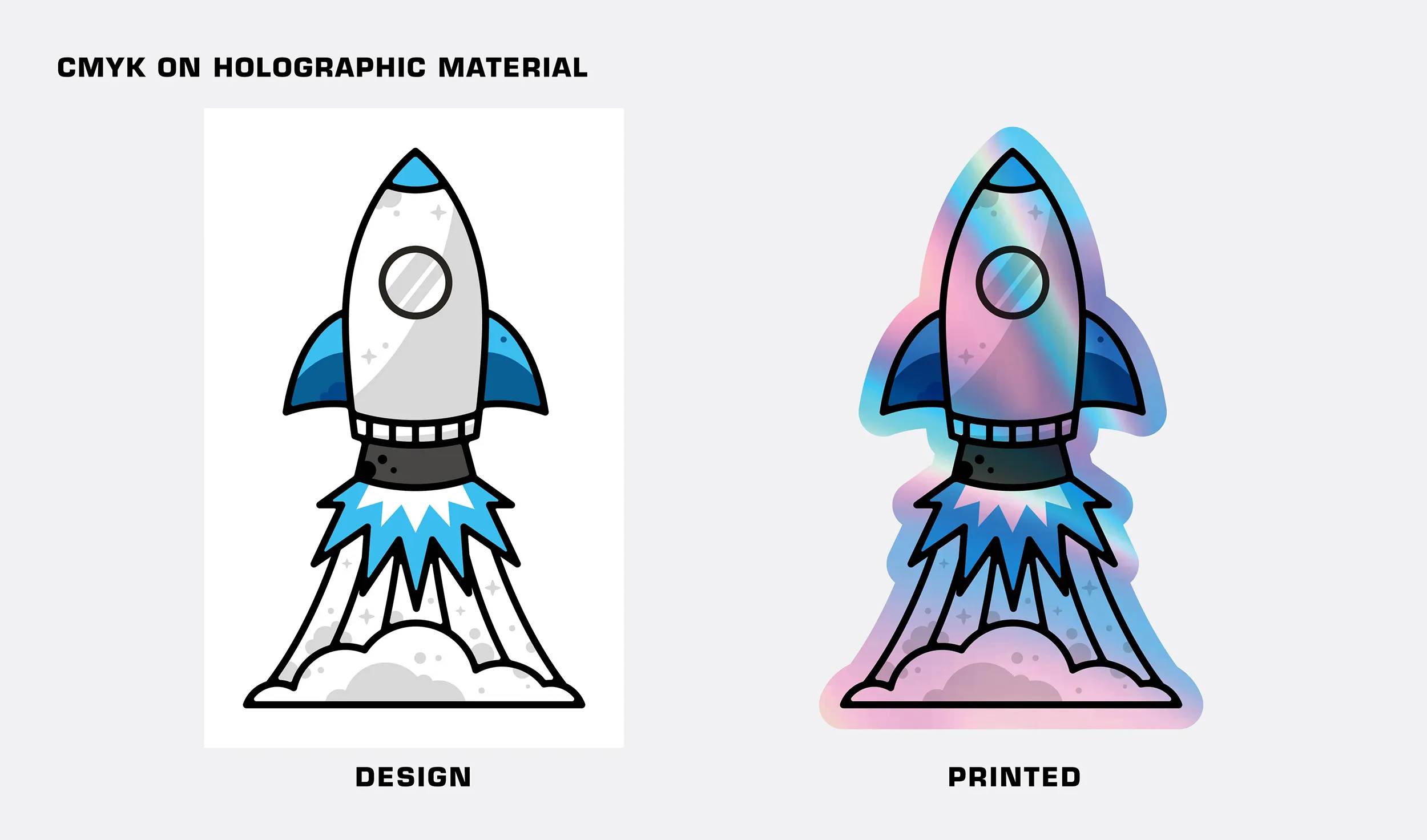
- Printing CMYK only will yield no white in your design.
- Areas that would normally appear white due to paper color will appear holographic.
- The holographic effect will show through most colors and diminish with darker colors.
- Black or rich black areas of the design will have little to no holographic effect.
- Layers and spot color swatches are not needed for CMYK only printing.
OVERVIEW
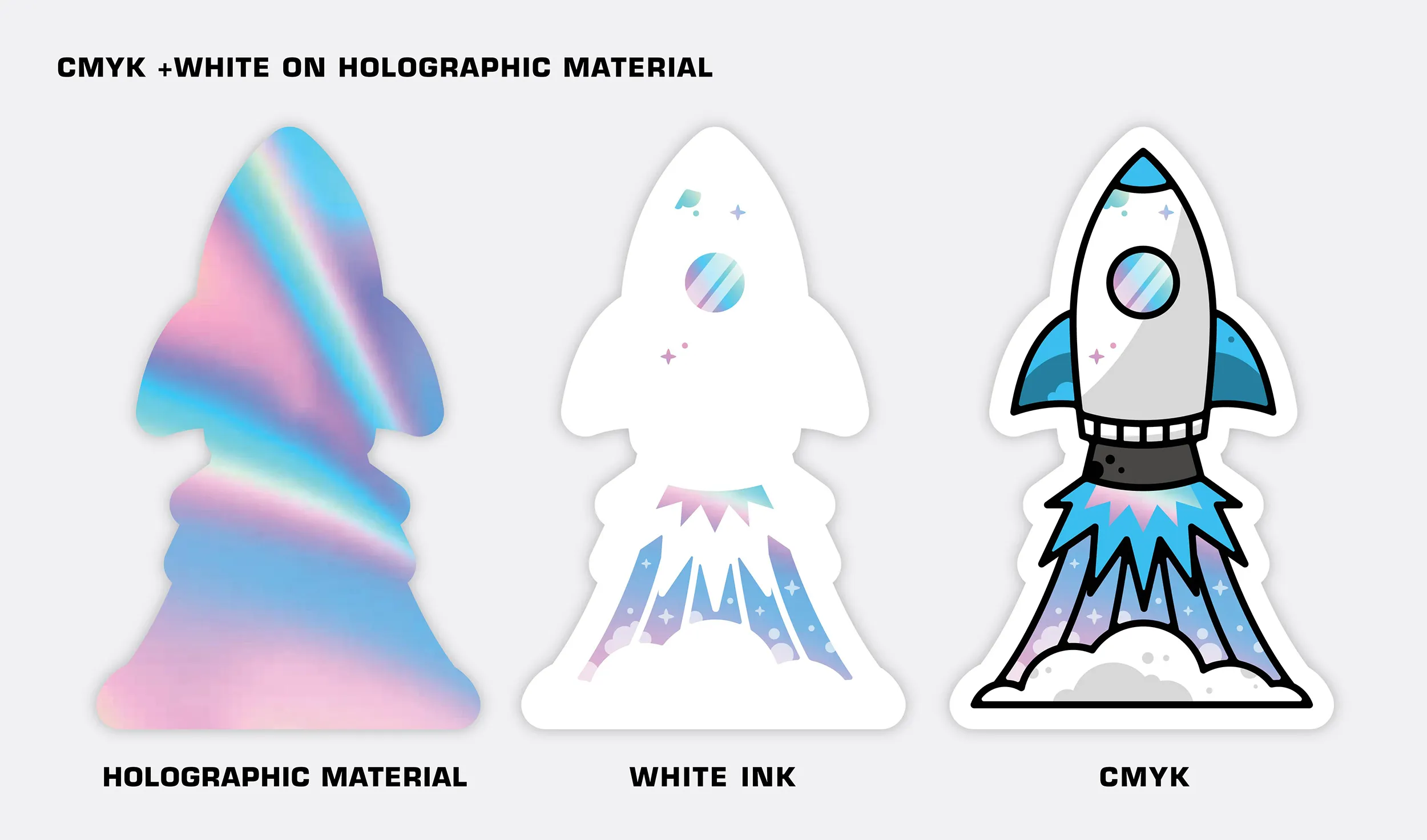
- If you’d like the color white to appear in your design choose CMYK + Spot White.
- The white layer is printed on the holographic material first, followed by the CMYK layer.
- Add a layer of white underneath any CMYK areas that you don’t want the holo effect to show through.
File Setup for CMYK + Spot White
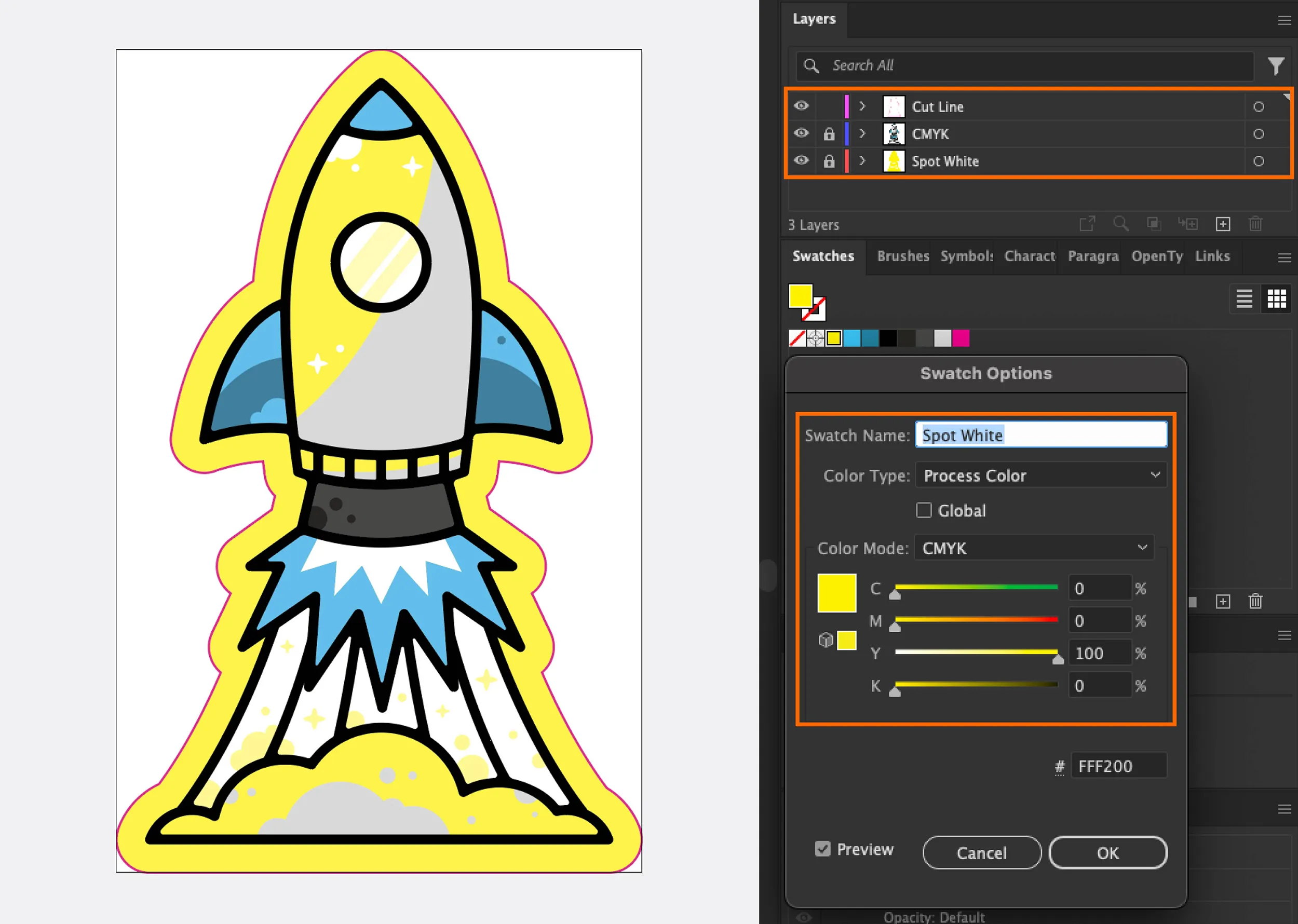
- Your file must include layers.
- Clearly label your white layer as “Spot White” and your CMYK layer as “CMYK”.
- Create a swatch named “Spot White”.
- Make sure the areas you want to print white are colored with that swatch.
Saving Out Your File for CMYK + Spot White
- Save your file as a PDF. No other file types are accepted.
- Choose Adobe 7 (or higher) compatibility when saving your PDF to preserve your layers.
- Under Options, make sure “Create Acrobat Layers from Top-Level Layers” is checked.
Grommets
For Rigid substrates, such as 4mm corrugated plastic, unless grommet placement is specified in the design file, we will install the grommet, on center, 1" away from the edges of your sign. If you do specify, place small, 1/8" dots in your design file and leave us a note so we are aware. We always suggest grommets be placed 1" away from the edges of your sign.
For materials such as banners, which generally come standard with grommets, we will place grommets in the hem.
We currently only offer Silver, a neutral grommet color.
If you have any questions regarding custom options, please don't hesitate to ask. Worst case scenario, it may put you slightly out of budget, but we won't know until we check out your options!
Size Limitations
In short, it is a limitation of our production methods.
Our equipment is optimized to work with large sheets of material to produce typical size signs. Nearly everything we do from printing to cutting utilizes what’s called a vacuum hold down system.
This system uses tiny holes and vacuum pressure to literally suck material down while we print or cut it. If the material is too small, the vacuum is unable to hold it down, resulting in unpredictable quality and possible damage to our equipment.
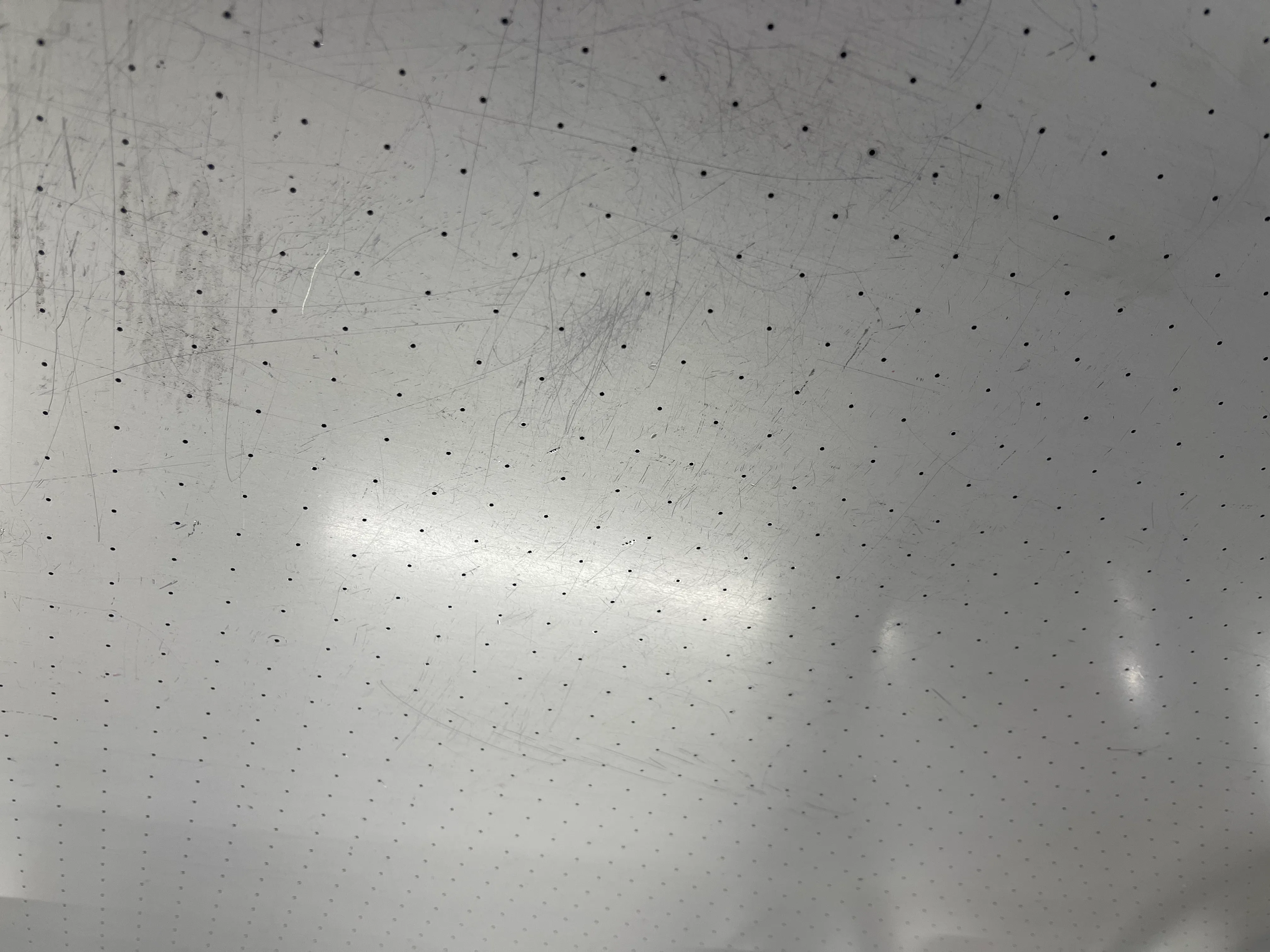
Our printers cutters, and even our material are all optimized to run the most common sizes of signs and stickers. We are unable to produce products that are larger than our equipment‘s maximum capacity.
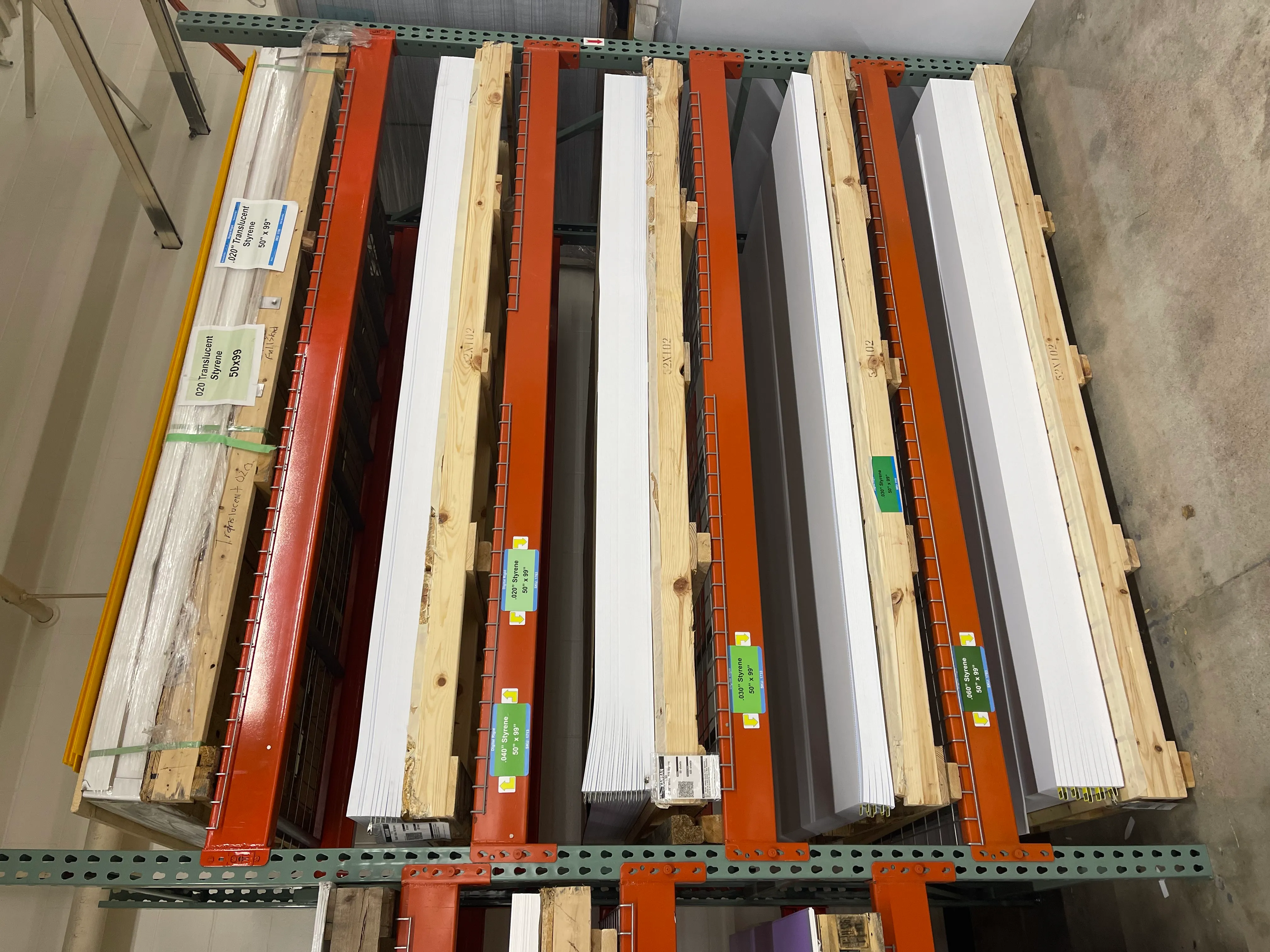
Materal Guide
We have many different materials to choose from. On the charts below, you can compare the qualities of each to better determine which of our materials would be best for your project.
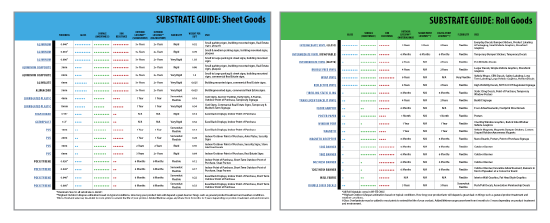
Click the image to download our Substrate Guide PDF.
Shipping
Yes! You can learn more here.
Variable Data Printing
Variable data is for digitally printed products that require different text for each item. All variable data orders with custom text will require a spreadsheet.
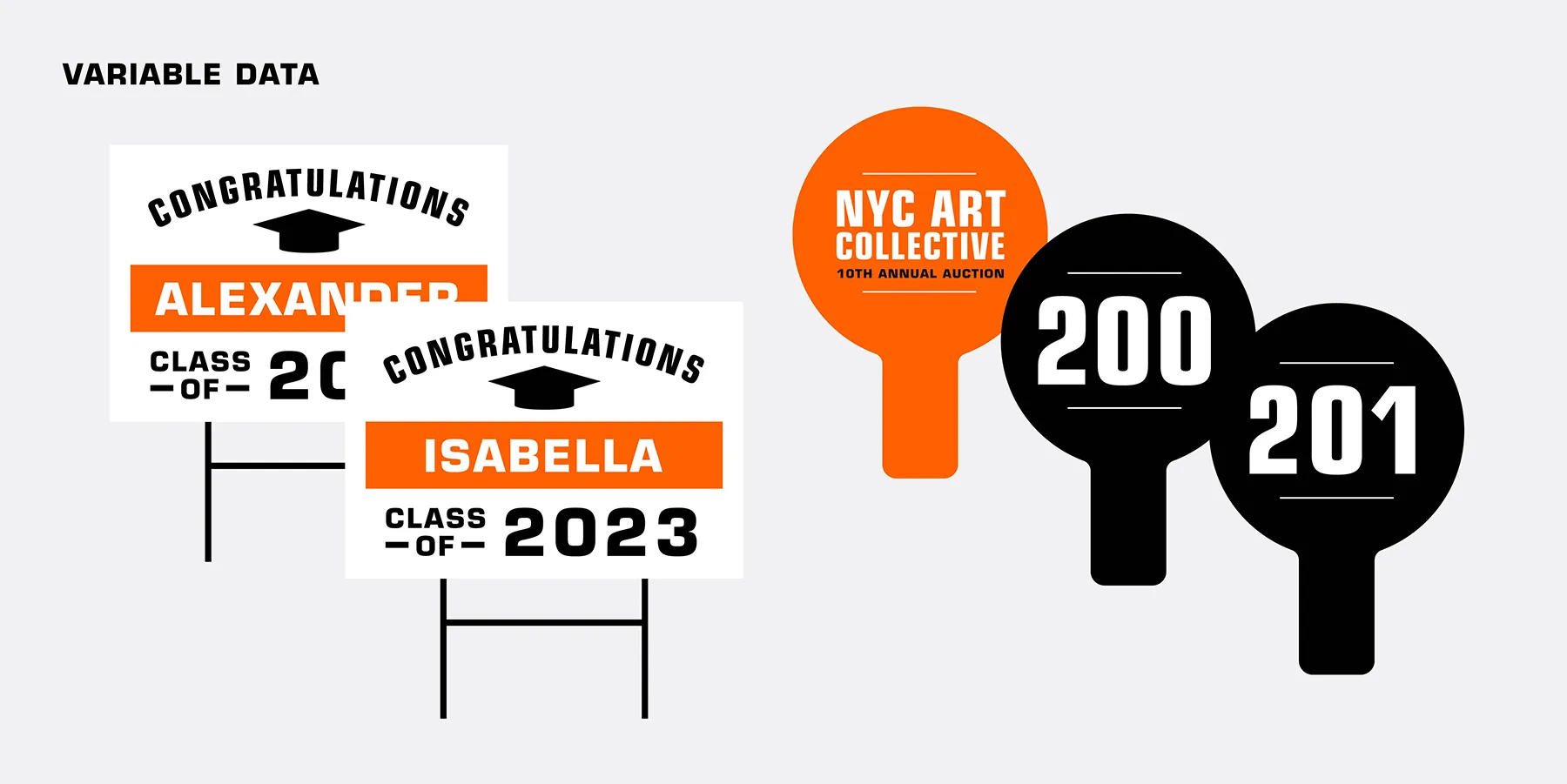
Variable data would be used on anything that has the same base artwork, but different information will be added for each item.
Example 1: Graduation yard signs with a different name on each one.
Example 2: Auction paddles that have the same artwork, but each have a different number. We can do consecutive or custom numbering